Google AI Pro and Ultra subscribers, up to $100 in Google Cloud credits each month
Google AI Pro and Ultra subscriptions include Google Developer Program premium benefits, which provide Google Cloud credits every month. Pro receives $10 per month, while Ultra receives $40 or $100 per month depending on the plan. Credits can be used for one year after they are issued.
- What you get
- Google AI Pro $10/month, Google AI Ultra $40/month, or $100 in Google Cloud credits
- Price
- To be confirmed
- Valid until
- To be confirmed
- Requirements
- Google AI Pro or Ultra subscription required · Link the subscription to your Google Developer Program profile to activate the benefits · Issued monthly, expires one year after the issue date · Can be used for Google Cloud services such as Cloud Run, Firebase and Vertex AI
Check the conditions on the official page ↗
Details
Google AI Pro and Ultra subscriptions include Google Developer Program premium benefits, which provide Google Cloud credits every month. Pro receives $10 per month, while Ultra receives $40 or $100 per month depending on the plan. Credits can be used for one year after they are issued.
How to get credits
Google official announcement(Benefits FAQ, Announced January 27, 2026) and the steps are based on a screen we checked directly on October 9, 2026. Account information and balances on the screen have been obscured.
- Subscribe to Google AI Pro or Ultra. For personal Google accounts, the amount you receive each month is pricing tableas listed: Pro $10, Ultra (20TB) $40, Ultra (30TB) $100.
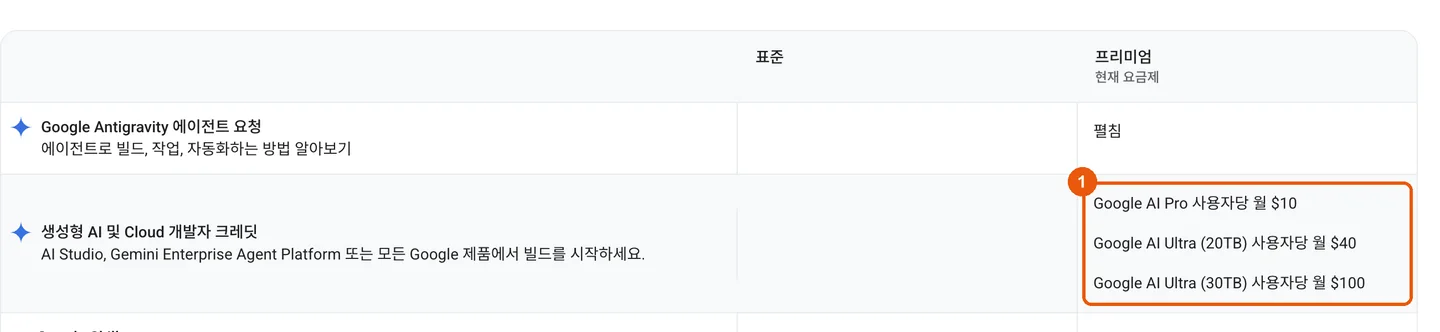
Google Developer Program pricing table - Enable the benefit in Google Developer Program using the same account. Google directs subscribers to activate the new benefit in Google Developer Program.
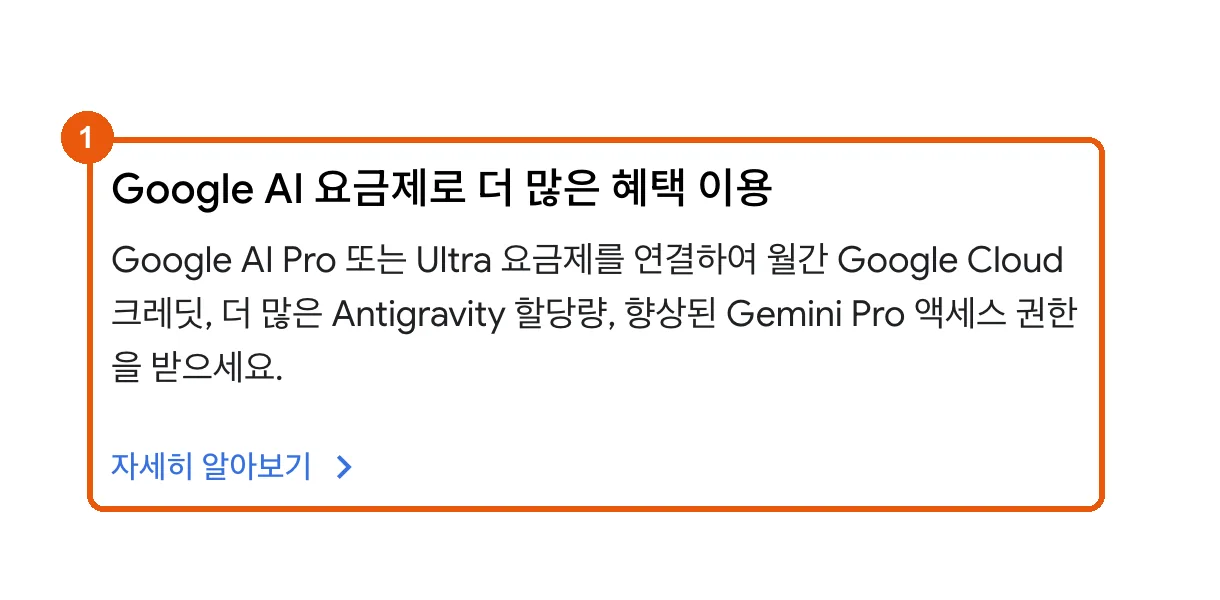
Google Developer Program introduction page - On the benefits page, select the billing account to receive the credits.
me.developers.google.com/benefitsIn the generative AI and Cloud credits card, select the Google Cloud billing account. Always use this billing accountIf you turn on (③), unused credits and next month’s credits will automatically be added to that billing account. If the billing account is not listed, you do not have permission to apply credits to that account.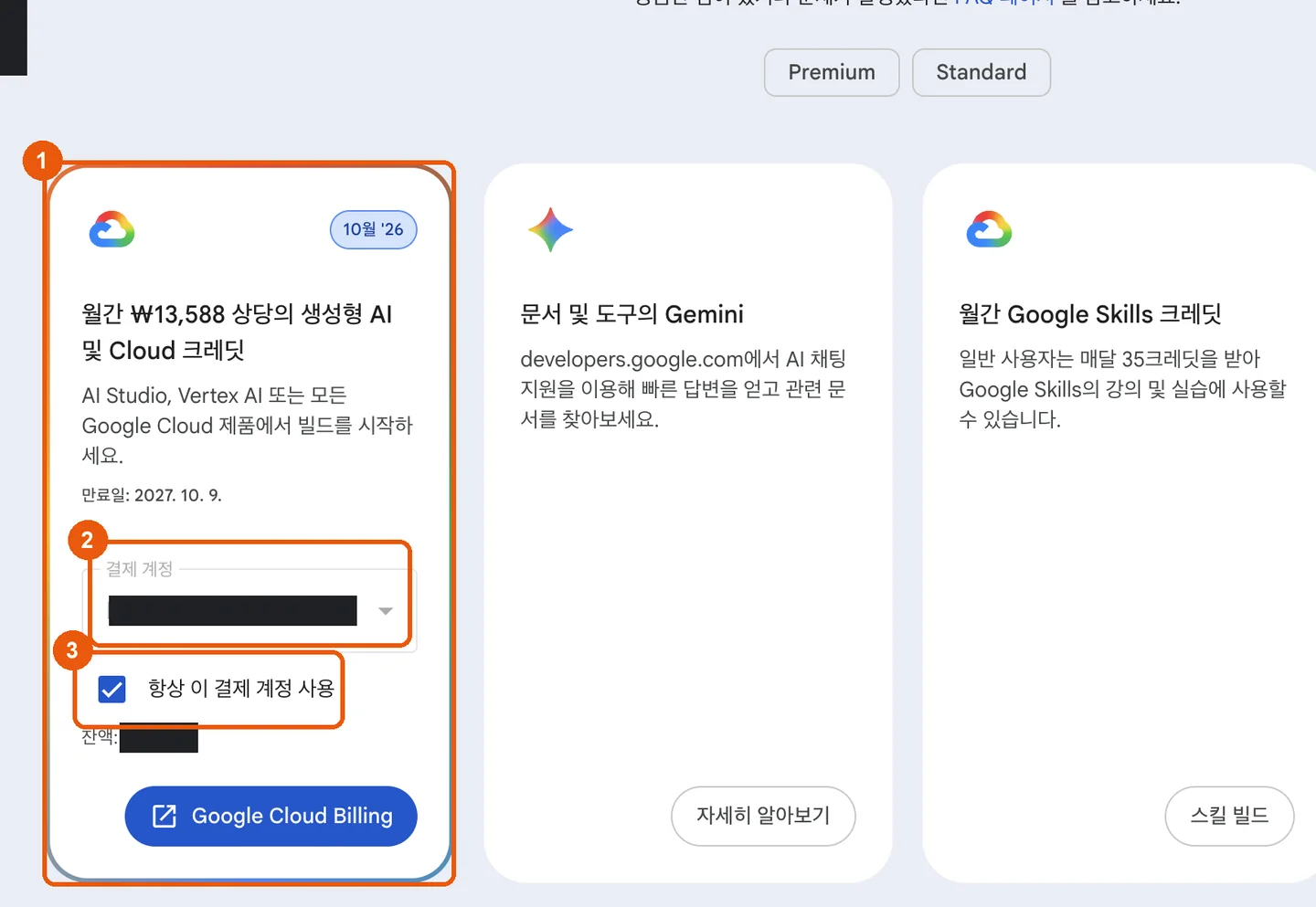
Cloud credits card on the benefits page - If a code appears instead of a billing account, enter it manually.
console.cloud.google.com/billing/redeemEnter the code (①) in and select the billing account (②), then ContinueClick (③). Credits can be applied to only one billing account.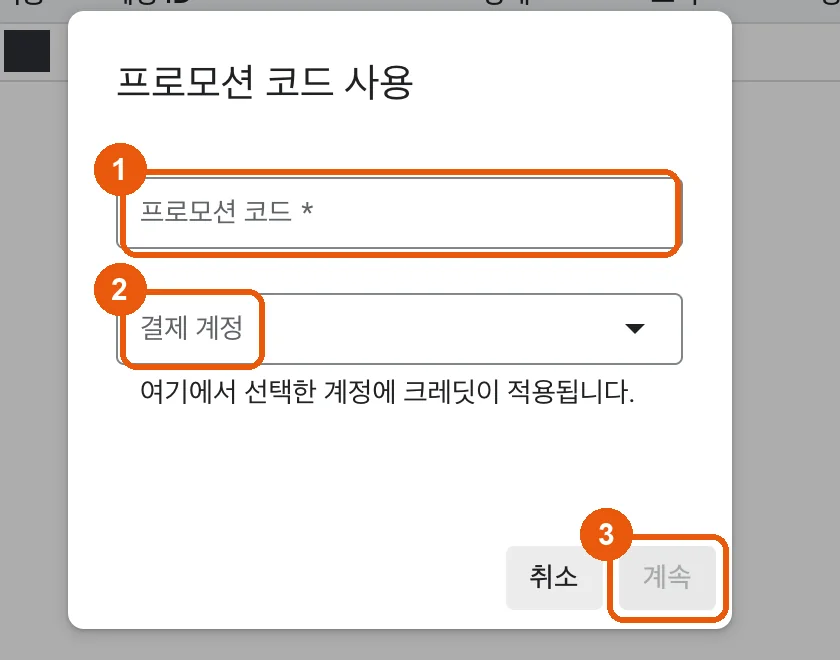
Google Cloud promo code redemption screen - Check that it has arrived. In Billing in the Google Cloud console, go to Credits(①) → Issued credits(②) to see the amount and expiration date.
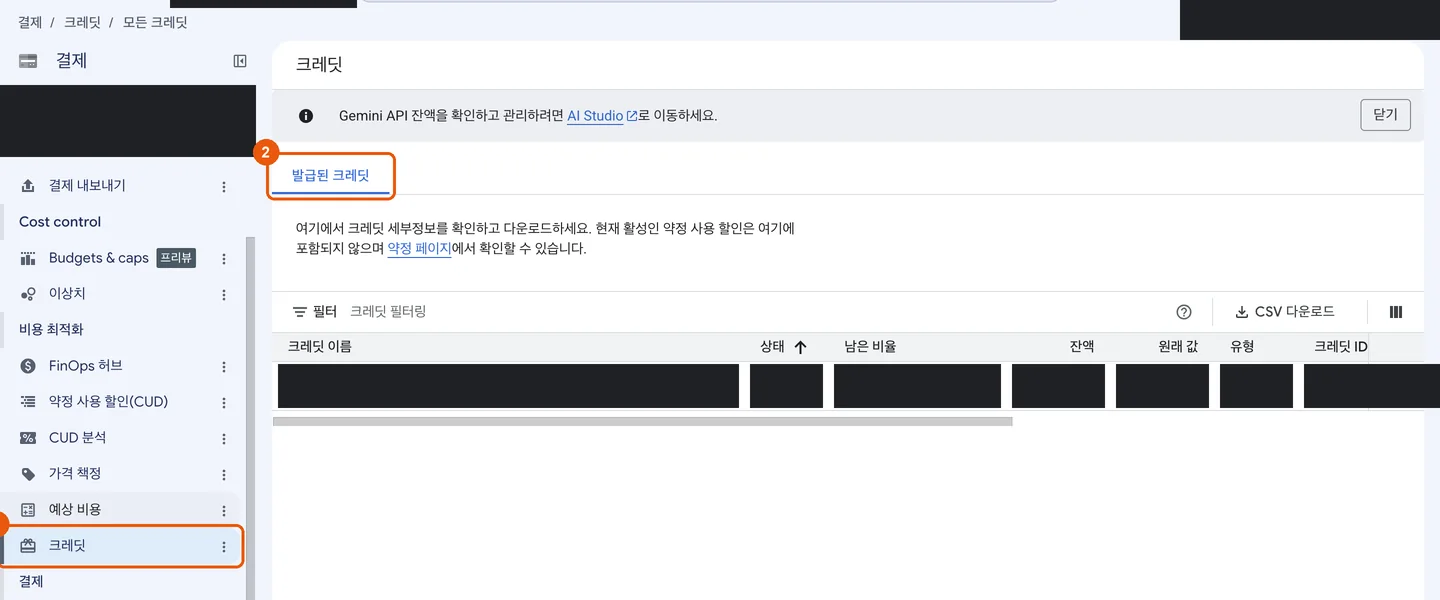
Credits screen in Google Cloud Billing
Credits expire one year after the date they are issued. In the on-screen example, credits received in October 2026 expire on October 9, 2027. They can be used for Google Cloud services such as Cloud Run, Firebase, and Vertex AI, as well as for using the Gemini API in AI Studio and Vertex AI.
Screens: Google Developer Program, Google Cloud console (as of 2026-10-09). This is not guidance written or endorsed by Google.
Sources and verification history
- Collection channel
- Official page
- Collected at
- 2026.10.09 08:30 KST
- First published
- Updated
- Source
- developers.google.com/program/plans-and-pricing
- Provider page
- developers.google.com/program/plans-and-pricing
- Official sources checked at